使用Python和LangChain与MySQL(或SQLite)数据库进行聊天。

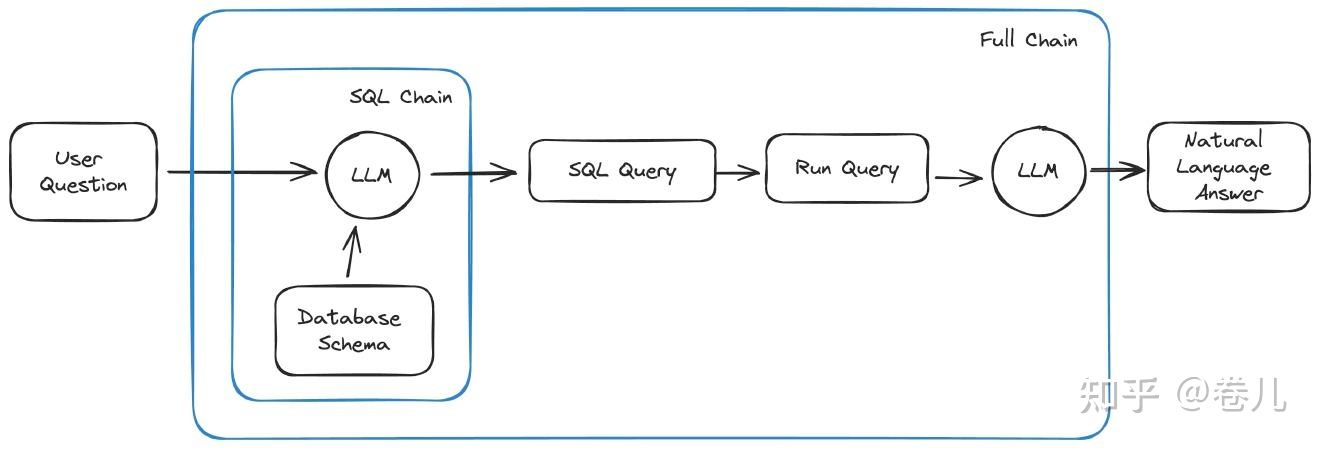
  • text2Sql chain
  • text2Sql Agent
  • Sql 操作封装

我们将使用sqlalchemy的LangChain包装器与数据库交互。我们还将使用langchain包创建一个自定义链/Agent,使我们能够使用自然语言与数据库进行聊天。

image-20240627100730128

使用到的工具


[1] sqlite 使用

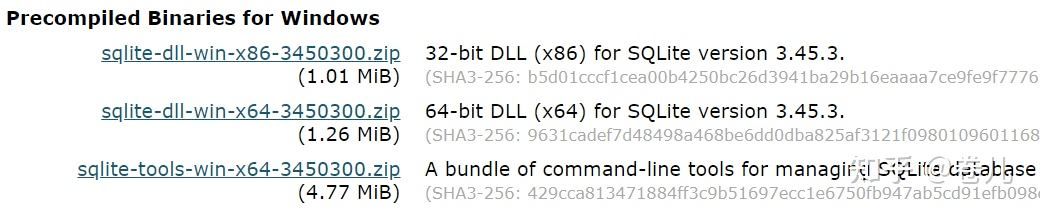
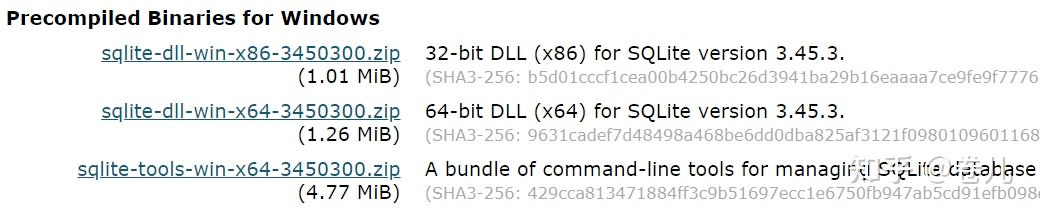
1-1 下载dll 和 tools 2个zip

image-20240627100739631

1-2 将解压后的文件,放到系统环境变量可以识别的Path下面

image-20240627100747184

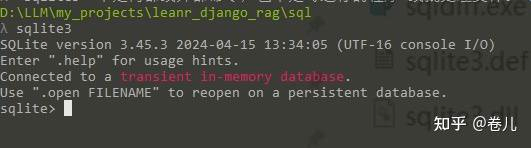
1-3 任意打开命令行,验证一下,运行: sqlite3

image-20240627100828820

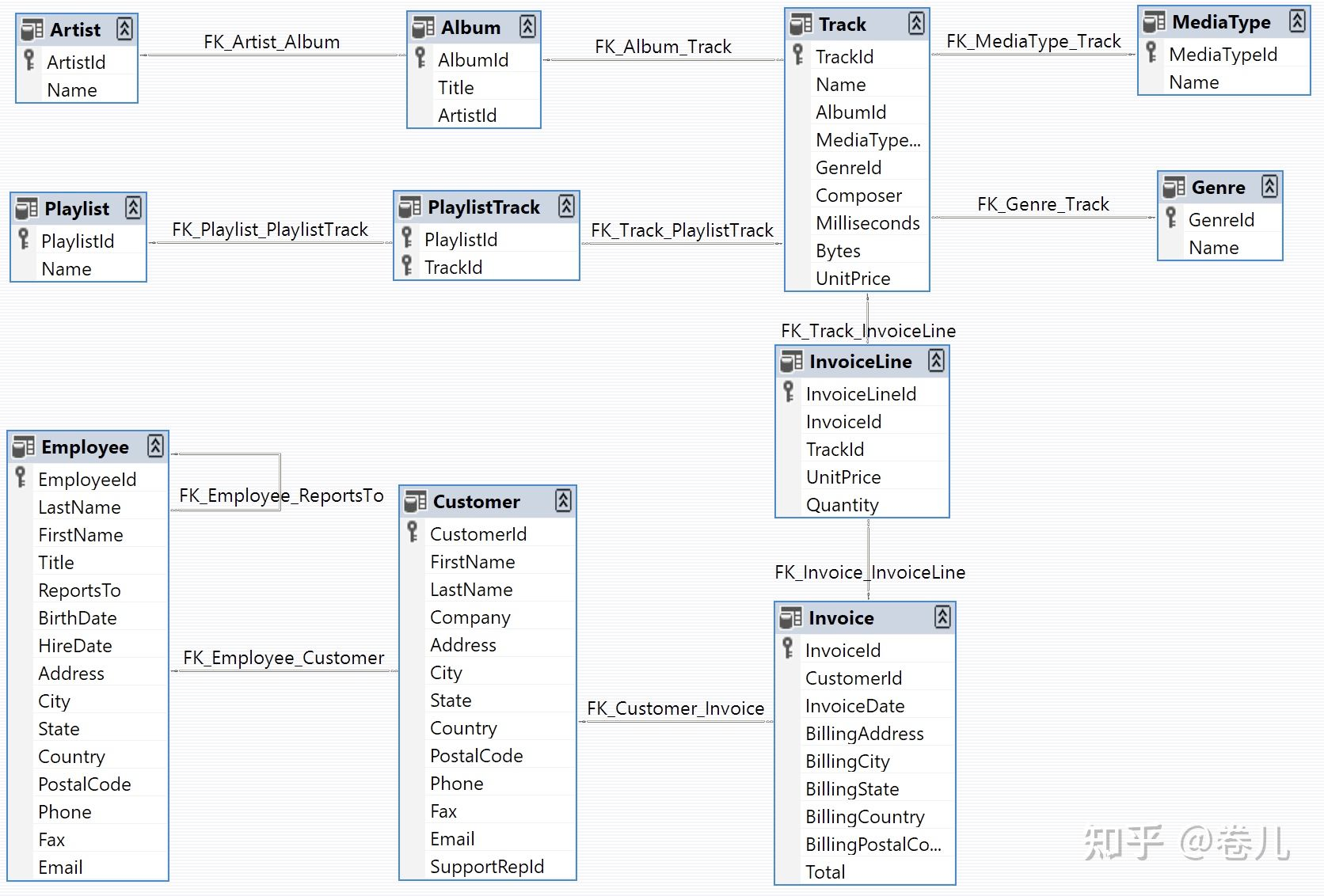
1-4 模拟数据:Chinook Database

https://github.com/lerocha/chinook-database

Chinook是一个适用于SQL Server、Oracle、MySQL等的示例数据库。Chinook数据库是Northwind数据库的替代品,非常适合用于演示和测试针对单个和多个数据库服务器的ORM工具。

我们使用这里面的数据来练习~

image-20240627101004596

https://github.com/lerocha/chinook-database/blob/master/ChinookDatabase/DataSources/Chinook_Sqlite.sql

1-5 安装数据库

新建数据库

sqlite3 chinook.db

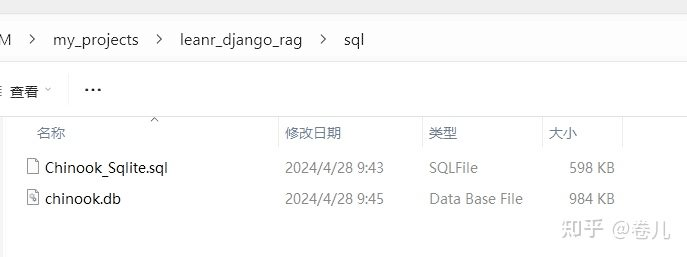
将Chinook_Sqlite.sql 放到包含 chinook.db的同级目录

image-20240627101023676

执行sql命令

.read Chinook_Sqlite.sql

image-20240627101040258

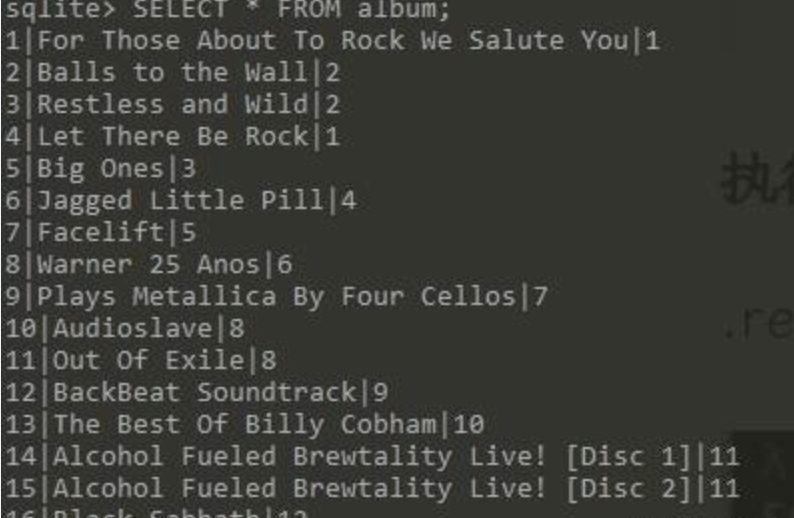
测试数据库

SELECT * FROM album;

image-20240627101051529

【2】Mysql 使用(假设你已经安装好了Mysql)

2-1 搜索中输出Mysql, 找到MySQL xx Command Line Client

2-2 打开 mysql(左键单击 2-1 中应用)

输入密码后进入mysql

2-3 导入测试数据

CREATE DATABASE chinook;

USE chinook;

SOURCE D:\LLM\my_projects\leanr_django_rag\sql\Chinook_MySql.sql

2-4 验证

SELECT * FROM album LIMIT 10;


安装 pip install langchain mysql-connector-python


[3] Text to Sql in chain

  • 数据库的schema信息(表格信息)
  • 文本转SQL 查询语句
  • Sql 查询

3-1 数据库的schema信息(表格信息)

通过get_table_info 获得数据库表格信息(schema)

1
2
3
4
5
6
7
8
9
10
11
12
13
14
15
# SQLite 配置 (.py 跟 chinook.db 在一个目录)
sqlite_uri = 'sqlite:///./chinook.db'

# 获得 数据库中表的信息
sqlite_db = SQLDatabase.from_uri(sqlite_uri)
sqlite_db_schema = sqlite_db.get_table_info()
pass

# MySQL 配置
mysql_uri = 'mysql+mysqlconnector://root:admin@localhost:3306/chinook'

# 获得 数据库中表的信息
mysql_db = SQLDatabase.from_uri(sqlite_uri)
mysql_db_schema = mysql_db.get_table_info()
pass

schema

1
2
3
4
5
6
7
8
9
10
11
12
13
14
15
16
CREATE TABLE "Album" (
"AlbumId" INTEGER NOT NULL,
"Title" NVARCHAR(160) NOT NULL,
"ArtistId" INTEGER NOT NULL,
PRIMARY KEY ("AlbumId"),
FOREIGN KEY("ArtistId") REFERENCES "Artist" ("ArtistId")
)

/*
3 rows from Album table:
AlbumId Title ArtistId
1 For Those About To Rock We Salute You 1
2 Balls to the Wall 2
3 Restless and Wild 2
*/
......

3-2 文本→ Sql chain

实现数据库内容访问接口

1
2
3
4
5
6
7
8
9
10
11
12
13
14
15
16
17
18
19
20
21
22
23
24
25
26
27
# SQLite 配置 (.py 跟 chinook.db 在一个目录)
sqlite_uri = 'sqlite:///./chinook.db'

# 获得 数据库中表的信息
sqlite_db = SQLDatabase.from_uri(sqlite_uri)
sqlite_db_schema = sqlite_db.get_table_info()
pass

# 使用mysql
db = sqlite_db

# 测试一下
res = db.run('SELECT COUNT(*) FROM Album;')
pass


# 运行查询命令
def run_query(query):
global db
res = db.run(query)
return res

# 获得schema
def get_schema(_):
global db
schema = db.get_table_info()
return schema

用质谱清言Glm4 作为llm

1
2
3
4
5
6
7
8
9
10
11
12
13
14
15
16
17
18
19
20
21
22
23
24
25
26
27
28
29
30
31
32
33
34
35
36
37
38
39
40
41
42
43
44
45
template = """Based on the table schema below, write a SQL query that would answer the user's question:
{schema}

Question: {question}
Return SQL Query Only, do not explain:"""
prompt = ChatPromptTemplate.from_template(template)

zhipuai_key = os.getenv('MY_ZHIPUAI_API_KEY')
def generate_token(apiKey: str, exp_seconds: int):
id, secret = apiKey.split(".")
payload = {
"api_key": id,
"exp": int(round(time.time()) * 1000) + exp_seconds * 1000,
"timestamp": int(round(time.time()) * 1000),
}
return jwt.encode(
payload,
secret,
algorithm="HS256",
headers={"alg": "HS256", "sign_type": "SIGN"},
)


chat = ChatOpenAI(
model_name="gLm-4",
openai_api_base="https://open.bigmodel.cn/api/paas/v4",
openai_api_key=generate_token(zhipuai_key, exp_seconds=60*10),
streaming=False,
verbose=True,
)

text_2_sql_chain = (
RunnablePassthrough.assign(schema=get_schema)
| prompt
| chat
| StrOutputParser()
)

# 测试
user_question = 'how many albums are there in the database?'
res = text_2_sql_chain.invoke({"question": user_question})
pass

#
{"question": user_question} ->{"question": user_question,'schema'='...'}

输出

image-20240627101204132

3-3 文本→ Sql →sql执行→llm总结

1
2
3
4
5
6
7
8
9
10
11
12
13
14
15
16
17
18
19
20
21
22
23
24
25
26
27
template = """Based on the table schema below, question, sql query, and sql response, write a natural language response:
{schema}

Question: {question}
SQL Query: {query}
SQL Response: {response}"""
prompt_response = ChatPromptTemplate.from_template(template)

full_chain = (
RunnablePassthrough.assign(query=text_2_sql_chain).assign(
schema=get_schema,
response=lambda x: run_query(x["query"]),
)
| prompt_response
| chat
)

user_question = 'how many albums are there in the database?'
res = full_chain.invoke({"question": user_question})
pass

#
{"question": user_question} ->
{"question": user_question,
'query':'SELECT COUNT(*) FROM Album;'
'schema':'数据库的表结构...',
'response':'run_query 的调用结果'} -> prompt_response

结果

1
'There are 347 albums in the database.'

[4] Agent 调用

描述工具

1
2
3
4
5
6
7
8
9
10
11
12
13
14
15
16
17
18
@tool
def run_query(query):
"""
Accept an SQL command and execute the command in mojuan SQL database.
"""
global db
res = db.run(query)
return res


@tool
def get_schema(nothing):
"""
return the schema of mojuan SQL database.
"""
global db
schema = db.get_table_info()
return schema

Agent 核心定义

image-20240627101226358

1
2
3
4
5
6
7
8
9
10
11
tools=[run_query,get_schema]

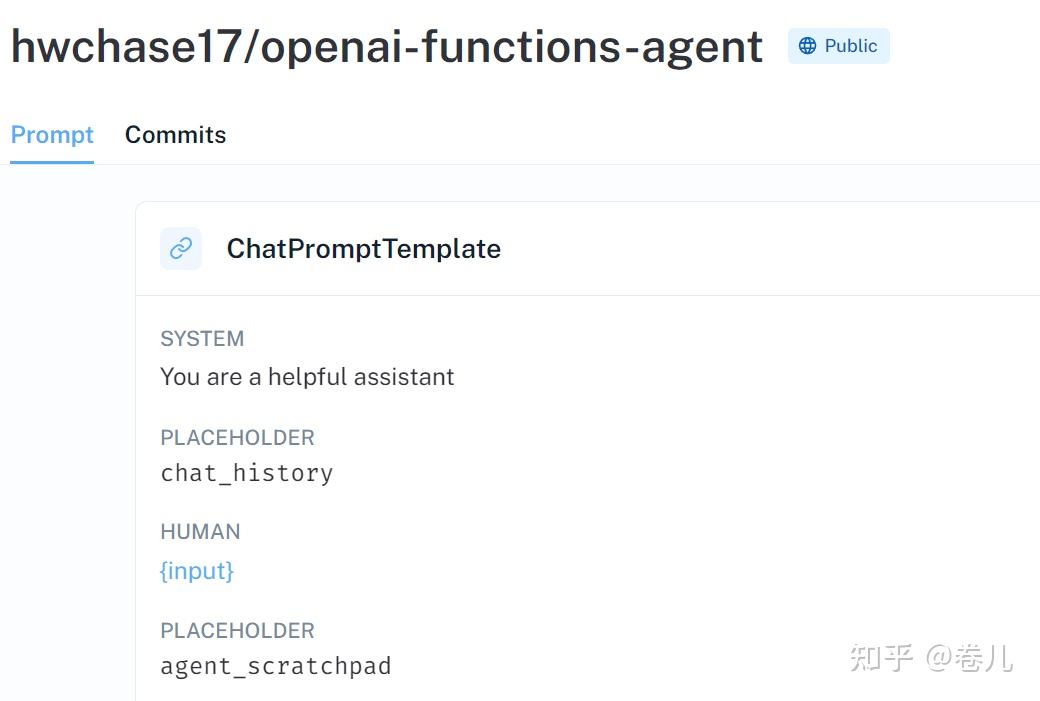
prompt=hub.pull("hwchase17/openai-functions-agent")

app = chat_agent_executor.create_tool_calling_executor(model, tools)
# inputs = {"messages": [HumanMessage(content="how many album are there in the mojuan database?")]}
inputs = {"messages": [HumanMessage(content="how many album are there in the mojuan database? you must check schema of mojuan first")]}
for s in app.stream(inputs):
print(list(s.values())[0])
print("----")
pass

结果

image-20240627101242033

how many album are there in the mojuan database?

→ 直接调用run_query, 生成的sql 命令有错:’SELECT COUNT(*) FROM albums

how many album are there in the mojuan database? you must check schema of mojuan first

→先调用get_schema 再调用 run_query,生成的sql 命令 正确


代码

chain

1
2
3
4
5
6
7
8
9
10
11
12
13
14
15
16
17
18
19
20
21
22
23
24
25
26
27
28
29
30
31
32
33
34
35
36
37
38
39
40
41
42
43
44
45
46
47
48
49
50
51
52
53
54
55
56
57
58
59
60
61
62
63
64
65
66
67
68
69
70
71
72
73
74
75
76
77
78
79
80
81
82
83
84
85
86
87
88
89
90
91
92
93
94
95
96
97
98
99
100
101
102
103
104
105
106
107
108
109
110
111
import os

from langchain_community.utilities import SQLDatabase
from langchain_core.prompts import ChatPromptTemplate
from langchain_core.output_parsers import StrOutputParser
from langchain_core.runnables import RunnablePassthrough
from langchain_openai import ChatOpenAI
import jwt, time

if __name__ == '__main__':

# SQLite 配置 (.py 跟 chinook.db 在一个目录)
sqlite_uri = 'sqlite:///./chinook.db'

# 获得 数据库中表的信息
sqlite_db = SQLDatabase.from_uri(sqlite_uri)
sqlite_db_schema = sqlite_db.get_table_info()
pass

# MySQL 配置
mysql_uri = 'mysql+mysqlconnector://root:admin@localhost:3306/chinook'

# 获得 数据库中表的信息
mysql_db = SQLDatabase.from_uri(sqlite_uri)
mysql_db_schema = mysql_db.get_table_info()
pass

template = """Based on the table schema below, write a SQL query that would answer the user's question:
{schema}

Question: {question}
Return SQL Query Only, do not explain:"""
prompt = ChatPromptTemplate.from_template(template)


# 选择你要测试的数据库
# 使用sqlite
#db = sqlite_db

# 使用mysql
db = mysql_db

res = db.run('SELECT COUNT(*) FROM Album;')
pass
def run_query(query):
global db
res = db.run(query)
return res

def get_schema(_):
global db
schema = db.get_table_info()
return schema

zhipuai_key = os.getenv('MY_ZHIPUAI_API_KEY')
def generate_token(apiKey: str, exp_seconds: int):
id, secret = apiKey.split(".")
payload = {
"api_key": id,
"exp": int(round(time.time()) * 1000) + exp_seconds * 1000,
"timestamp": int(round(time.time()) * 1000),
}
return jwt.encode(
payload,
secret,
algorithm="HS256",
headers={"alg": "HS256", "sign_type": "SIGN"},
)


chat = ChatOpenAI(
model_name="gLm-4",
openai_api_base="https://open.bigmodel.cn/api/paas/v4",
openai_api_key=generate_token(zhipuai_key, exp_seconds=60*10),
streaming=False,
verbose=True,
)

text_2_sql_chain = (
RunnablePassthrough.assign(schema=get_schema)
| prompt
| chat
| StrOutputParser()
)


# 测试
user_question = 'how many albums are there in the database?'
res = text_2_sql_chain.invoke({"question": user_question})
pass

template = """Based on the table schema below, question, sql query, and sql response, write a natural language response:
{schema}

Question: {question}
SQL Query: {query}
SQL Response: {response}"""
prompt_response = ChatPromptTemplate.from_template(template)

full_chain = (
RunnablePassthrough.assign(query=text_2_sql_chain).assign(
schema=get_schema,
response=lambda x: run_query(x["query"]),
)
| prompt_response
| chat
)

user_question = 'how many albums are there in the database?'
res = full_chain.invoke({"question": user_question})
pass

Agent

1
2
3
4
5
6
7
8
9
10
11
12
13
14
15
16
17
18
19
20
21
22
23
24
25
26
27
28
29
30
31
32
33
34
35
36
37
38
39
40
41
42
43
44
45
46
47
48
49
50
51
52
53
54
55
56
57
58
59
60
61
62
63
64
65
66
67
68
69
70
71
72
73
74
75
76
77
78
79
80
81
82
83
84
85
86
87
88
89
import os

from langchain import hub
from langchain.agents import AgentExecutor
from langchain_core.messages import HumanMessage
from langchain_core.prompts import ChatPromptTemplate
from langchain_openai import ChatOpenAI
import jwt, time
from langchain_core.tools import tool
from langgraph.prebuilt import chat_agent_executor
from langchain_community.utilities import SQLDatabase

if __name__ == '__main__':

# 数据库配置
# SQLite 配置 (.py 跟 chinook.db 在一个目录)
sqlite_uri = 'sqlite:///./chinook.db'

# 获得 数据库中表的信息
sqlite_db = SQLDatabase.from_uri(sqlite_uri)
sqlite_db_schema = sqlite_db.get_table_info()

# MySQL 配置
mysql_uri = 'mysql+mysqlconnector://root:admin@localhost:3306/chinook'

# 获得 数据库中表的信息
mysql_db = SQLDatabase.from_uri(sqlite_uri)
mysql_db_schema = mysql_db.get_table_info()

# 设置你要测试的数据库
db = sqlite_db


@tool
def run_query(query):
"""
Accept an SQL command and execute the command in mojuan SQL database.
"""
global db
res = db.run(query)
return res


@tool
def get_schema(nothing):
"""
return the schema of mojuan SQL database.
"""
global db
schema = db.get_table_info()
return schema


zhipuai_key = os.getenv('MY_ZHIPUAI_API_KEY')

def generate_token(apiKey: str, exp_seconds: int):
id, secret = apiKey.split(".")
payload = {
"api_key": id,
"exp": int(round(time.time()) * 1000) + exp_seconds * 1000,
"timestamp": int(round(time.time()) * 1000),
}
return jwt.encode(
payload,
secret,
algorithm="HS256",
headers={"alg": "HS256", "sign_type": "SIGN"},
)


model = ChatOpenAI(
model_name="gLm-4",
openai_api_base="https://open.bigmodel.cn/api/paas/v4",
openai_api_key=generate_token(zhipuai_key, exp_seconds=60*5),
streaming=False,
verbose=True,
)

tools=[run_query,get_schema]

prompt=hub.pull("hwchase17/openai-functions-agent")

app = chat_agent_executor.create_tool_calling_executor(model, tools)
# inputs = {"messages": [HumanMessage(content="how many album are there in the mojuan database?")]}
inputs = {"messages": [HumanMessage(content="How many albums are there in the mojuan database? ")]}
for s in app.stream(inputs):
print(list(s.values())[0])
print("----")
pass